

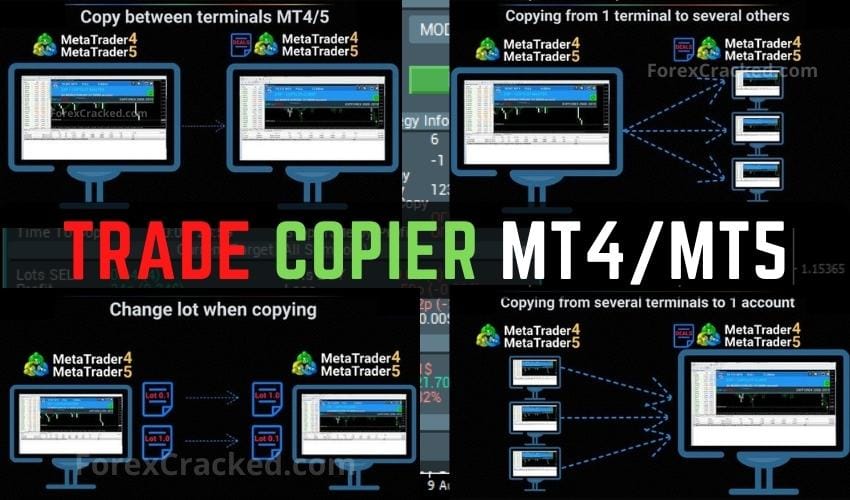
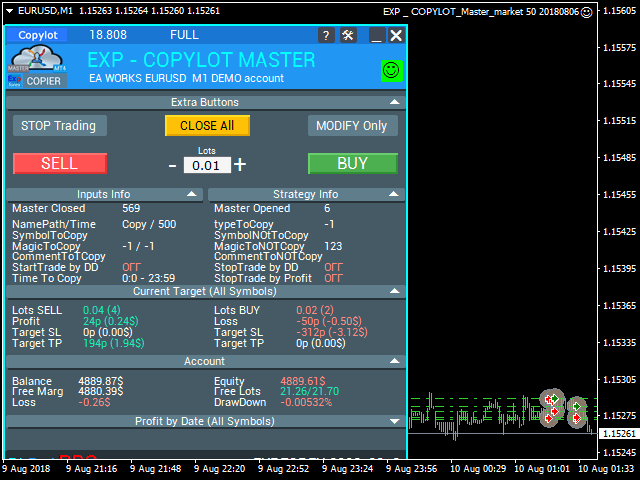
Forex Trade copier MT4/MT5. It copies forex trades, positions, orders from any accounts to any other account, Be it MT4 or MT5 even multiple accounts. The unique copying algorithm exactly copies all trades from the master account to your client account.
It is also noted for its high operation speed and Tough error handling. It also can copy from demo account to live account too.
It is one of the best free trade copiers that can do ,
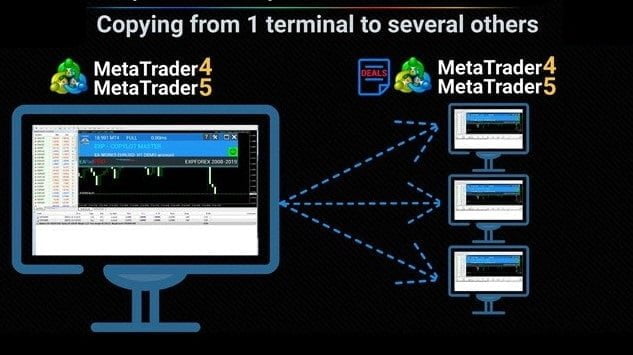
- MT4 to another MT4 or MT5 or to multiple accounts (МТ4 => МТ4 or МТ5).
- MT5 to another MT4 or MT5 or to multiple accounts (МТ5 => МТ5 or МТ4).
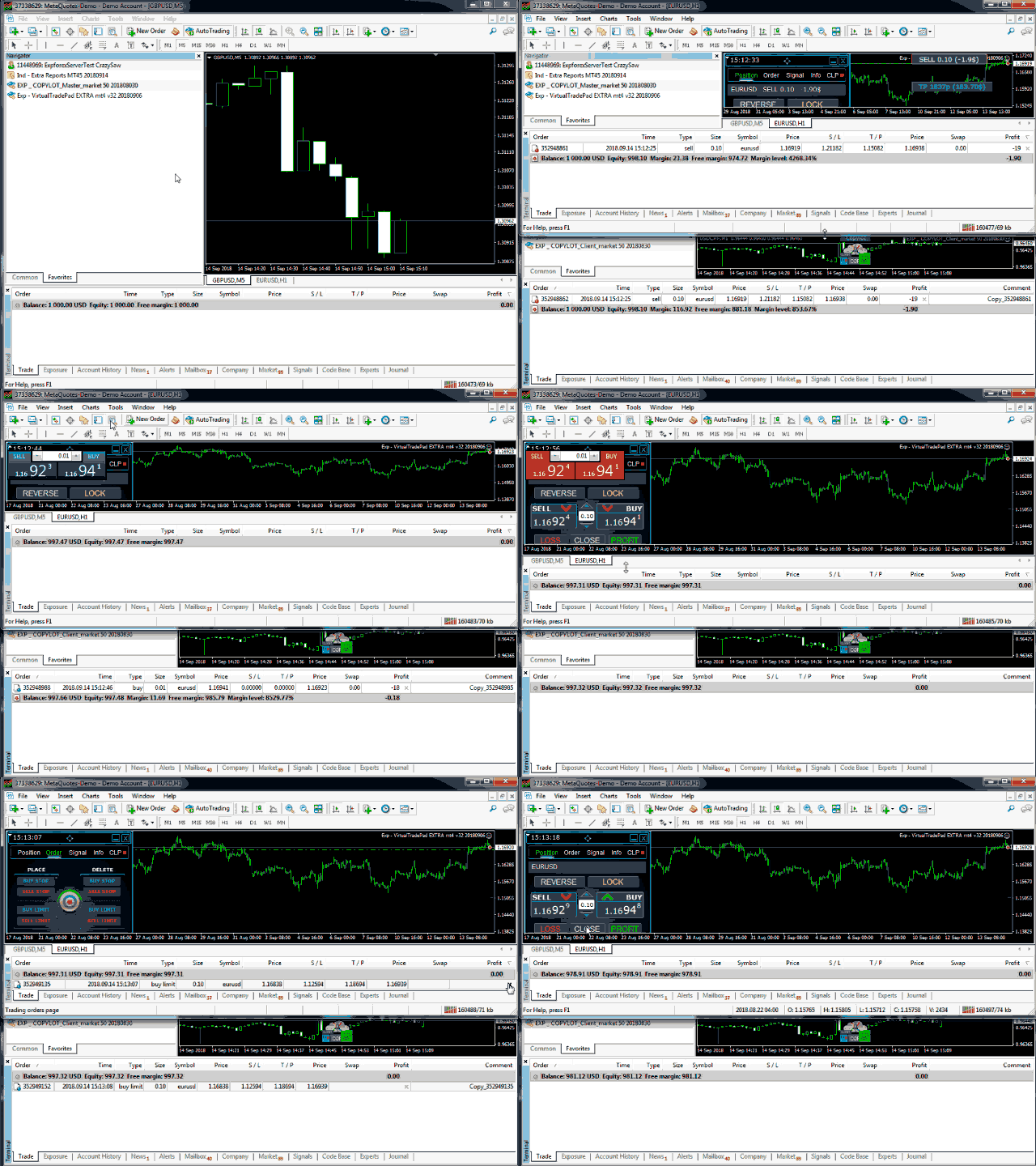
Features of Trade Copier
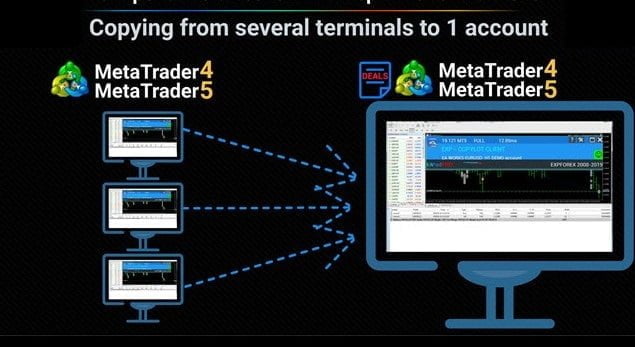
- You can organize several pairs for copying: from multiple master accounts to 1 client account.
- You can organize several pairs for copying: from one master account to multiple client accounts.
- You can organize several pairs for copying: from multiple master accounts to multiple client accounts.
- Copy from DEMO account to real account
- Selection of trades based on the magic number, symbol, type of trades.
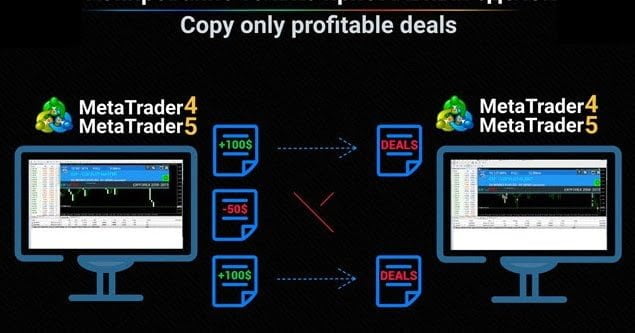
- Selection of only profitable trades, or only losing trades.
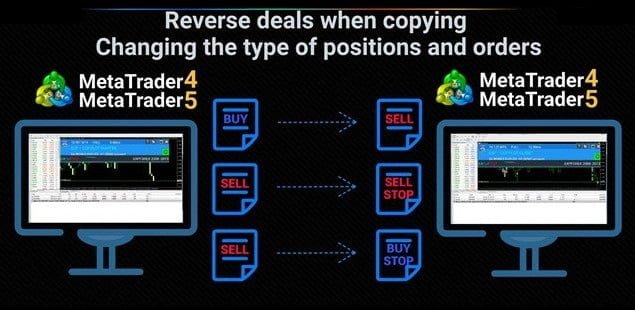
- Inverted (Reverse) copying of trades.
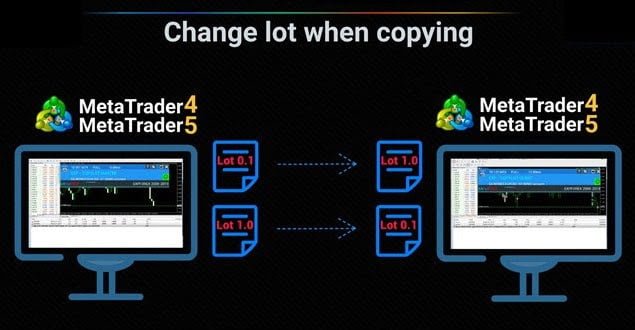
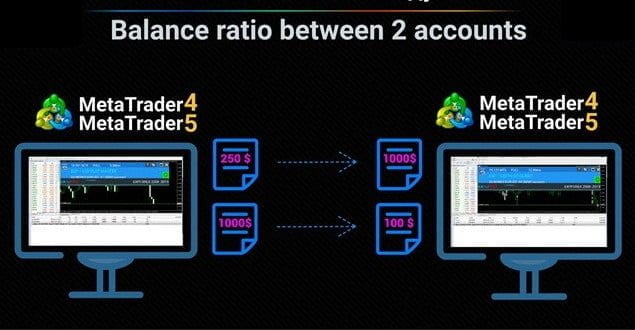
- You can copy trades with a custom lot, lot coefficient or in accordance with the risk of the master account.
- You can work without stop levels, with the closing of trades in the master account (virtual stops).
- You can connect multiple master/client terminals for organizing the copying system.
- Can work with the symbols that have suffixes.
Simple Installation Guide
You can find more in depth installation guides, input parameters and a lot more in the manual, similar to the MT4 X Speed. So, please refer to that too.
- Install the Trade copier Master in the terminal where you want to copy the positions and orders from.
- Then install the Trade copier Client in the terminal where you want to copy the positions and orders.
- Make sure Trade copier Master “pathWrite” input parameter and Trade copier Client “pathRead” input parameter are the same. For example default value of both is “Copy“.
As mentioned this is a simple installation guide. So, This is only to copy between two accounts. If you want to copy from one account to multiple accounts or multiple accounts to single account please read the manual.
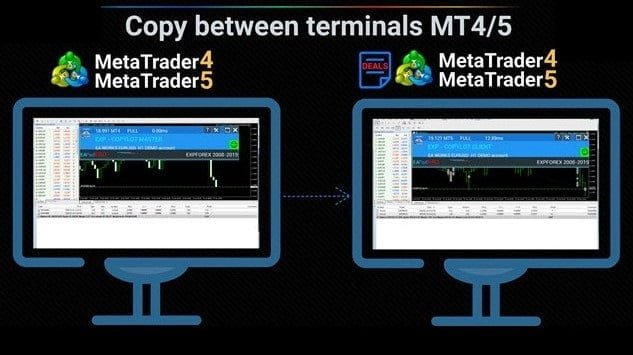
Forex Trade Copier
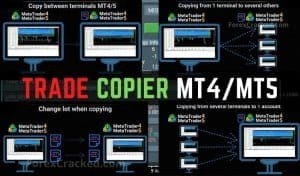
A trade copier that copies trades, positions and orders between MT4 and MT5 accounts, with filters, reverse copying and custom lot or risk-based sizing.

 Built by ForexCrackedWe tested 1,200+ indicators. Then we built our own.Six years of reviewing EAs and indicators went into FXC Fusion: two engines, the seven-panel cockpit, MT4 and MT5, from the team behind this site.


Discussion 40 comments
Is this still working?
🚀 COPYLOT Update 26.614 — MT5 History Checkpoint and NETTING Improvements
Release date: June 9, 2026
This update improves COPYLOT MASTER synchronization on MT5 accounts with large trading histories and adds full pending-order support for NETTING accounts.
⚡ Faster MT5 History Processing
COPYLOT MASTER now creates an in-memory history checkpoint after the initial synchronization.
Instead of rebuilding the complete CLOSE and PARTIAL history during every update, the Expert Advisor checks only a recent overlapping history window and processes newly detected events.
Important: The initial synchronization still uses the history depth selected in the input parameters. The checkpoint becomes active only after the first history scan is completed.
🛡️ Safe Processing of Long
– Lived Positions
A position may be opened many days or weeks before it is closed or partially closed.
When a new closing event is detected, COPYLOT can restore the complete history of the affected position using its MT5 position identifier.
Important: A position opened outside the recent checkpoint window will not be missed if it is closed or partially closed today.
🔄 Improved CLOSE and PARTIAL Synchronization
The MASTER now stores previously processed deal tickets, order tickets and synchronization identifiers in memory.
Previously processed CLOSE events are not rebuilt repeatedly.
Previously processed PARTIAL events are protected from duplication.
Only newly detected history events require additional processing.
The overlapping history window provides additional synchronization protection.
👤 Automatic MASTER Account Change Detection
When the MASTER trading account is changed, COPYLOT now automatically:
clears the previous account history checkpoint;
resets OPEN, CLOSE and PARTIAL data;
updates the communication files;
starts full synchronization for the new account.
Important: Restarting the complete MetaTrader terminal after changing the MASTER account is no longer required.
📌 Pending Orders for MT5 NETTING Accounts
COPYLOT now supports copying and processing pending orders in MT5 NETTING mode.
Supported order types:
BUY LIMIT
SELL LIMIT
BUY STOP
SELL STOP
BUY STOP LIMIT
SELL STOP LIMIT
Pending-order placement, modification, cancellation and expiration can now be synchronized between MASTER and CLIENT terminals.
⚙️ New MT5 History Parameters
MasterUseHistoryCheckpoint
Enables the in-memory history checkpoint after the initial synchronization.
When enabled, COPYLOT stores already processed CLOSE and PARTIAL events and checks only the recent overlapping history window during subsequent synchronization cycles.
Default: true
Recommended: Keep enabled for normal operation.
MasterHistoryCheckpointDays
Defines the number of recent history days checked after the initial synchronization.
The window intentionally overlaps previously processed history to reduce the risk of missing delayed, recently closed or partially closed events.
Default: 5
Recommended: 3–5 days
Important: A larger value provides greater synchronization depth but may require more processing time on accounts with extensive trading histories.
MasterUsePartialPositionRebuild
Restores the complete history of a position when a new closing or partial-closing deal is detected.
This allows COPYLOT to correctly process positions that were opened before the selected checkpoint period.
Default: true
Important: Keep this option enabled when long-running positions or partial closing are used.
📚 Existing MT5 History Parameters
MasterHistoryReadDays
Number of recent history days used for counters and change detection during the initial synchronization.
Default: 14
Set -1 to read the complete account history.
MasterHistoryWriteDays
Number of recent history days used to create the initial CLOSE.txt synchronization file.
Default: 14
Set -1 to process the complete account history.
MasterPartialHistoryWriteDays
Number of recent history days used to create the initial PARTIAL.txt synchronization file.
Default: 14
Set -1 to process the complete account history.
MasterHistoryFallbackFullIfEmpty
Retries synchronization using the complete account history if a limited history result is unexpectedly empty.
Default: false
Important: Keep disabled for maximum performance. Enable only for diagnostics or special compatibility cases.
MasterRefreshPauseSec
Defines a short pause before a heavy synchronization cycle after a chart refresh or terminal event.
Default: 2 seconds
MasterSlowCycleLogMs
Writes a diagnostic warning to the Experts log when a COPYLOT synchronization cycle exceeds the specified duration.
Default: 1000 milliseconds
Set 0 to disable slow-cycle logging.
Recommended Configuration
MasterHistoryReadDays = 14
MasterHistoryWriteDays = 14
MasterPartialHistoryWriteDays = 14
MasterUseHistoryCheckpoint = true
MasterHistoryCheckpointDays = 5
MasterUsePartialPositionRebuild = true
MasterHistoryFallbackFullIfEmpty = false
Important: The default settings provide a practical balance between synchronization depth and performance for most trading accounts.
For accounts with very large trading histories, reduce the initial history periods according to the required synchronization depth.
Increase the history periods when positions or pending orders may remain active longer than the configured number of days.
Performance note: Reading the complete history with -1 may require significant processing time on accounts containing tens of thousands of orders and deals.
thanku
It not working from investor account, can you crack that also please
Can I use this copier on Mac system
How is time (sec.) different for the receiver to put order after sender put order? For example i use Exness Pro account.
Nice app thanks for sharing
You have not updated this ea for mt4 1420?
Can’t download/find the download button
I don’t have any ad locker. There isn’t any download link on this page for this product
Where is the link to download the copier?
Thank you so much!
Any chance of getting latest version?
uhh i may be just stupid but, where the hell is the Download link
If you are unable to see the download buttons, please try disabling your ad blocker.
Thanks. Work for me
its perfect!
thank yor sir
Unable to download
It doesn’t not close trade
My settings when master close trade
Don’t close trade in client in loss zone
After closing master use 50 pip tp for open trades
Not working
try this copier
https://youtu.be/38g0aAft-Hs?si=VSrxsBp87W1oVqvg
for more details
Telegram : https://t.me/forexinfos ( forexinfos )
Discord: anikweb360
omg where the hell is download link. can u post download
link here
Ya, me dejo de funcionar! que tristeza!
Me parece muy buena herramienta, lo único que esta tardando mucho en copiar las operaciones de MT4 a MT5, y veo que no copia el SL ni el Tp. No se que pasa pero antes me iba de lujo.
Excellent, thank you very much
onde eu consigo o link para baixar o copy trade?
Could you please re-upload the link? Grateful!
Thank you very much
its not working,,,,,
I have issue in copying from Master to client account. In Master gold symbol is XAUUSD but in the client the symbol is Gold+. How can overcome this issue.
you idiot retarded monkey, read the manual again
Hello
I got an expert robot called Forex Trade Copier MT4-MT5 from your site and I faced a problem in working with it.
I hope you can help me
When I run Expert Master on Metatrader and at the same time open the Master account on the mobile phone, after executing the buy or sell command, two trades are opened at the same time in the Metatrader client. And when I exit Metatrader Mobile and completely delete Expert and install it again on Metatrader computer, it will be fixed.
I want to use both mobile and laptop at the same time and I did not find a way to solve this problem
I also read the manual, but there was no mention of this happening
Can you guide me?
thaaaaakkkssss…….
do you have any other copy trader please let me know for MT5 I need it.
Minimum deposit please ? Thanks
Thank you so much!
hello, its copies trades in MT5, but will not close automatically in MT5
May be something wrong but it works for me
Yes it also not works for me too, in MT5 it copy trade but do not close it. can you tell me how to fix this issue?
Dis you fix the problem?
Muchas gracias!! lo pruebo y te comento!, un saludo!!
Useful! Thank you.